
Colony Counter guide
How to count colonies on a Petri plate from a photo
Start with a clear photo. Let Colony Counter propose a count. Review every mark before using the result.
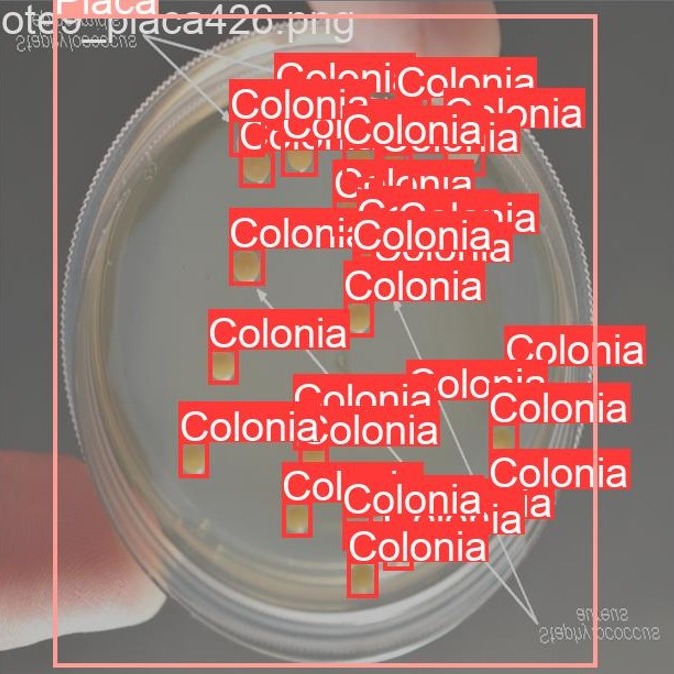
Photo to reviewed result
Photograph the plate
Keep the plate in focus and the colonies distinguishable. Reflections, blur and low contrast can affect detections.
Upload and count
Upload one image or process up to ten images in sequence. The app proposes colony marks and a total.
Review the marks
Zoom in; add missing marks, and move, resize or remove marks that need correction. The total updates with edits.
Measure when useful
Enter the known plate diameter and adjust the calibration oval for approximate diameter estimates. Visual groups do not identify microorganisms.
Export the result
Download the marked image or an Excel file. Reopen saved analyses from history for further review.
Questions about counting from a photo
What kind of photo works best?
A focused plate photo with distinguishable colonies. Glare, blur, overlap and low contrast make review especially important.
Does automatic counting replace review?
No. Colony Counter proposes detections; add, move, resize or remove marks before using the count.
Can I process several photos?
Yes. Select up to ten images for sequential processing and browse them in the gallery.
Are diameter measurements exact?
No. They are estimates based on the image, the entered plate diameter and adjustment of the calibration oval.
What can I export?
A marked JPG image and an Excel file with reviewed counts, diameters, groups and coordinates.